
Teams dial pad missing due to Microsoft backend replication (The issue is due to RegistrarPool being Null after migrating users to Teams)

I had very interesting experience recently related to user migration from Skype for business to Teams direct routing. 
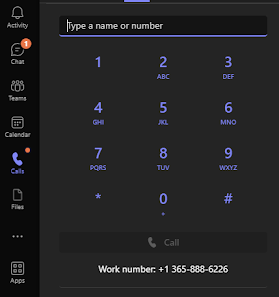


Most common issue is to missing dial pad would be following, 

- Teams license assigned or assigned license change not replicate on time or delay.
   License was PhoneSystem since this was Direct Routing work. 

- is enable for Enterprise voice

- Whether the user assigned a VoiceRoutingPolicy

- Whether the user assigned a TeamsCallingPolicy
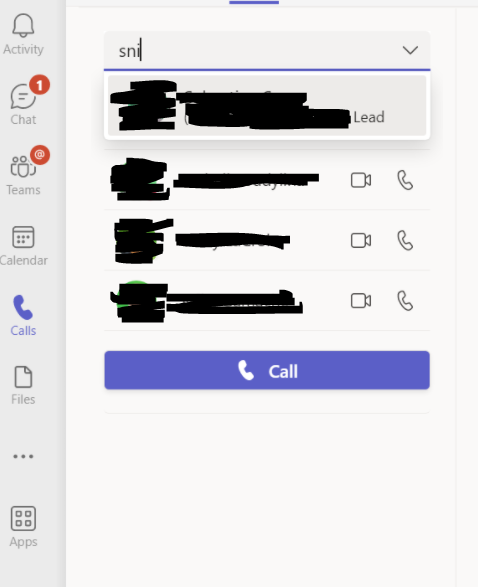


Addition to this i checked following, 

-Homed location/HostingProvider of the users and whether user has been       migrated successful or not. 

Get-CsOnline -Identity xxx@abc.com | fl DisplayName, LineUri, EnterpriseVoice*, HostingProvider

This where the interesting part came in found a difference in another attribute which never had seen before. 

Get-CsOnline -Identity xxx@abc.com | fl DisplayName, LineUri, EnterpriseVoice*, HostingProvider, RegistrarPool

(NEW) 

Issue was due to RegistrarPool being Null after migrating users to Teams.

Only option is to Microsoft support since its SaaS product. So, opening a ticket to Microsoft Support will fix the problem and it went to PG folks. Issue was RTCProv is skipping registar pool during that time for unknown reason in Microsoft Teams Phone System.  

Once the replication done in few hours time 


RegistrarPool shouldnt be empty. It should change to Teams: like above screenshot.

Enjoy!


Comments

Popular posts from this blog

Skype for Business announces new Mac client and new mobile sharing experiences

Today Skype for business team publically announce that Skype for business Mac is available to download ( URL ) Its is supporting edge to edge video and full immersive content sharing and viewing, You can get good collaboration experience. And they have updated Skype Operation Framework also about this update. Please refer to them https://www.skypeoperationsframework.com/blogs Enjoy!!!

This Web browser or operating system might not be compatible with Microsoft Silverlight

Crazy error getting from Silver Light while your trying to open newly installed skype for business 2015 on top of Windows Server 2016. Since i installed Silverlight already i was checking control panel the version what i installed its latest and which you can confirm by going to this URL -  https://www.microsoft.com/getsilverlight/locale/en-us/html/Microsoft%20Silverlight%20Release%20History.htm     According to above web and control panel it says same version but my setup cant access the configuration wizard getting following error. to fix nothing do just that add this URL ( https://<pool01FQDN>/cscp to trusted sites and refresh the page then this will go. Note: This error will mislead to check on other browser version and etc and you might check supported version for WinSvr 2016. No required those. Hope this will save your time. Please like FB pages you find more - https://www.facebook.com/office365wwc/   SfB - https://w...

Microsoft Teams user administration using Set-CsOnlineVoicemailUserSettings

Now tenant admin can help with user for custom greetings,  DefaultGreetingPromptOverwrite and  DefaultOofGreetingPromptOverwrite many other user settings on behalf of users. This may help to end users when they are away to set up forwarding rules to another colleague or external number etc. Set-CsUserCallingSettings  -Identity "madushka@abc.com"  -IsForwardingEnabled $True -ForwardingType Immediate -ForwardingTarget taniya@abc.com -ForwardingTargetType SingleTarget - Verbose Note : You must have PhoneSystem License attached for you to have this forwarding to a another person. Basically both users must have PhoneSystem License.  Forward to external number   when you try this make sure you are using E.164 standard for phone numbers.  Set-CsUserCallingSettings -Identity " madushka@abc.com"   -IsForwardingEnabled $True -ForwardingType Simultaneous -ForwardingTargetType SingleTarget -ForwardingTarget "+1365888xxx"  - Verbose Note : You...